

My Journey Debugging the Homestead Modpack on Linux with AMD Radeon Graphics
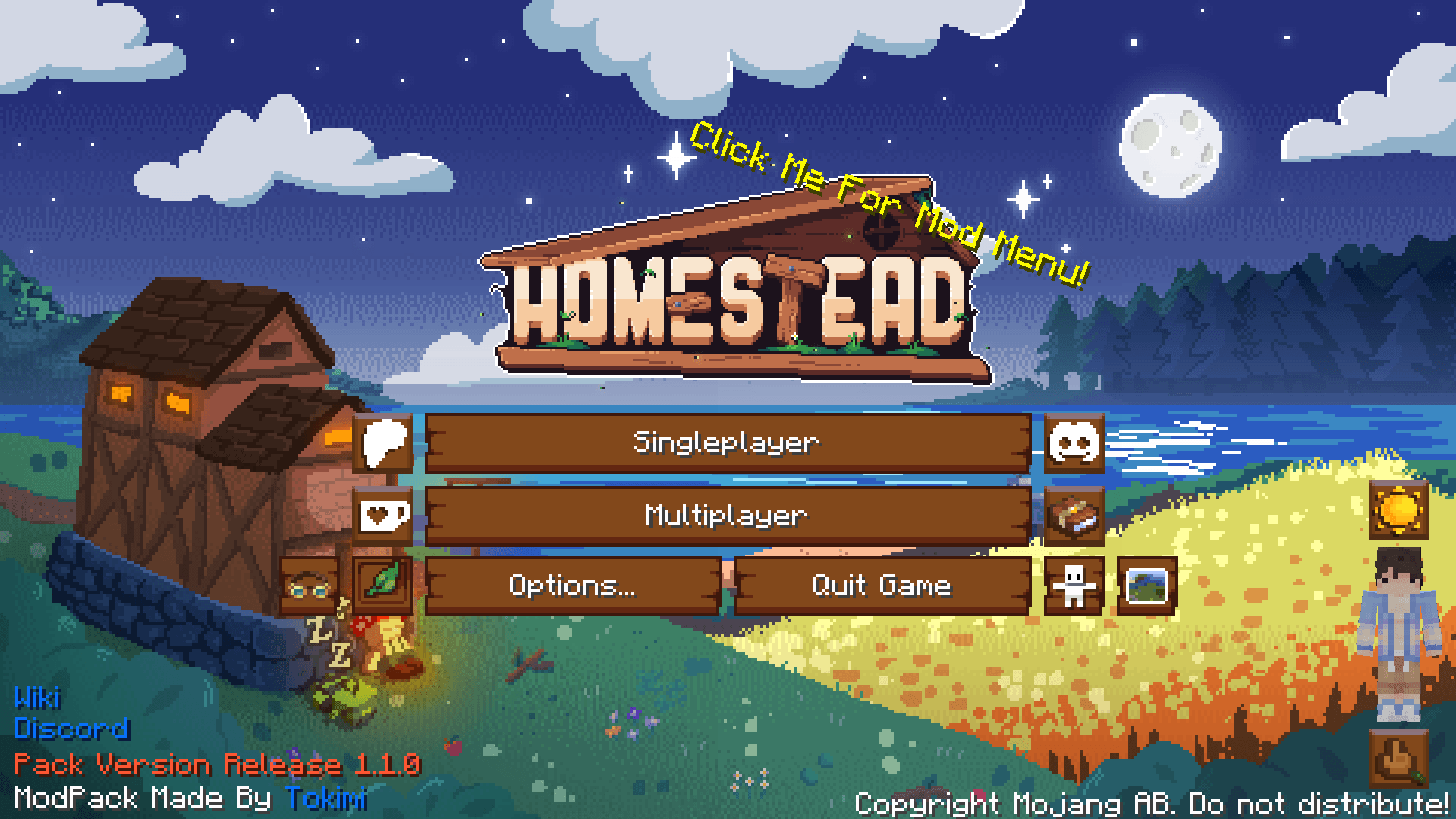
As a dedicated Minecraft modder and pack developer with 14 years of hands-on experience, I’ve established myself as a vital resource in the community—creating custom mods, assembling complex modpacks, and partnering as a major affiliate with Bisect Hosting. In this role, I function as a living knowledge base, guiding creators and players through server configurations, optimization tips, and thorny troubleshooting that keeps modded worlds spinning smoothly. It was in our exclusive partners-only Discord that I linked up with Toekimi, a fresh face to the program since around August, whose innovative modpacks were already turning heads. When he posted a call for help debugging the Fancy Menu mod in an in-development build of his “Homestead – A Cozy Survival Experience” modpack, I dove right in. Homestead, a Fabric 1.20.1 gem available on Modrinth and CurseForge, delivers a serene Vanilla+ escape with FTB Quests for progression, Nature’s Spirit and Oh The Biomes We’ve Gone for breathtaking landscapes, Create for subtle automation, and shaders for that immersive glow—boasting over 1.1 million downloads. I’d been meaning to fire it up for some relaxed playtime, but life got in the way until his request. What followed was my solo week-and-a-half gauntlet against relentless black screens on my Linux AMD rig, ultimately cracking the case for Toekimi and his affected players. If you’re wrestling modpack gremlins on non-Windows hardware, this tale’s for you. Stick around to the end for the straightforward fix that changed everything.
Toekimi’s Discord message was straightforward: glitches in Fancy Menu needed testing on the latest indev iteration of Homestead. With no immediate takers in the channel, my 14 years of modding kicked in—I grabbed the zip, imported it into the CurseForge app, and hit play, eager to tweak menus and report back.
The backlash was instant and unforgiving. Minecraft’s window popped open… straight to black screen. No loading progress, no familiar Mojang splash, no menu—just an abyss. Seconds later, a crash or eternal hang. CurseForge logs were a riot of red flags: OpenGL context creation bombs, GLFW windowing failures, the game choking at the graphics handshake. My setup—AMD Ryzen 7 5700G (16 threads of Zen 3 power), 64GB DDR4, RX 6700 XT on Navi 22 with Mesa’s radeonsi driver, all under Linux Mint 22.3 Cinnamon—mirrors the standard for Linux gamers ditching proprietary NVIDIA for open-source reliability. This wasn’t some rare unicorn; it was everyday hardware exposing a hidden flaw.
I shared a play-by-play of the events I encountered while deep diving the logs. He was already fielding similar complaints from Linux users with Radeon cards, and had some of those issue reporters digging in, including a friend with a matching setup. But my appetite for the challenge was insatiable—I rolled up my sleeves for a voracious deep dive, determined to nail it.
First order: isolate the rot. I deployed my signature “How to Find a Bad Mod” method—a binary disable/test loop that’s become a community staple, shared across forums and Discords to surgically excise bad apples from bloated packs. Homestead packs in over 370 mods, forming a massive tangled web of dependencies—from biome enhancers and quest scripters to performance utilities, custom mobs, farming overhauls, storage solutions, and world generation layers. Hours of halving and testing yielded no smoking gun. The pack’s cohesion held; no lone mod was tanking launches consistently.
Log autopsy consumed the next three days. ElocinDev mods screamed from the top of every stack—errors galore from their performance utilities and tweaks. Many hinged on Necronomicon API by ElocinDev, a versatile library powering multi-loader optimizations and renderer boosts. This was the only real red herring. I disabled the dependents wholesale, and zap—success rate spiked from 0% to roughly 1%. Fleeting victories: one run might grant menu access for Fancy Menu fiddling, the next plunged back to instant black. It was a tease, stripping essential features like smoothed rendering that elevate Homestead’s cozy sheen, and far too random for reliable debugging.
Lurking throughout? Mojang’s LWJGL 3.3.1-snapshot gripes at log tails—graphics library whines on OpenGL/Mesa handshakes. The line was there every time, but it made no sense to me initially. Over my decade-plus of pack wrangling, one golden rule reigns: hunt the topmost error first. Bottom-dwellers are cascade fallout—phantom pains evaporating post-root-fix. Elocin’s dominance demanded priority; LWJGL? Dismissed as downstream chatter.
Launcher swaps confirmed the plague. GDLauncher: black void. Modrinth app: same doom. Java args experiments (heap sizing, GC flags), shader purges, even X11-to-Wayland hops (crashing my desktop)—nada. Forums fueled the fire: r/linux_gaming sagas on Radeon + LWJGL snapshots, AMD trackers noting Mesa quirks. Toekimi’s reports piled up, underscoring the scope—my grind was proxying fixes for a silent Linux/Radeon legion.
The week-and-a-half dragged on with fatigue setting in, but momentum built. Those other reporters chipped away, yet my relentless pace—nights blurring into log marathons—set me apart. Partial Elocin disables offered peeks, enough for superficial Fancy Menu pokes, but black screens barred true progress. The pack’s cozy promise mocked me; debugging devolved into attrition warfare with a 370+ mod behemoth.
Finally, the persistent LWJGL tail-end error nagged enough that I turned to the internet. I searched for launchers that allowed loading a different LWJGL version. Prism Launcher came up as the top recommendation.
Prism Launcher entered the fray—an open-source powerhouse, MultiMC heir, modder’s Swiss Army knife. Pack import, launch… perfection. Menu bloomed, worlds spun, Fancy Menu yielded—no disables, no flakiness. I didn’t even have to manually pick a version from the dropdown; Prism preemptively injects LWJGL 3.3.2 (Mesa-hardened stable) into the classpath, neutering the snapshot pre-pack load. Smarts prevailed.
Logs in hand—CurseForge carnage vs. Prism purity—I alerted Toekimi. His verdict: “that explains why my linux users with radeon cards are having this issue.” Vindication. My breakthrough decoded the flood of tickets and resolved the reported issue.
Doors flung open. Rock-solid launches fueled exhaustive Fancy Menu surgery: glitches banished, UIs polished, indev battered stem-to-stern. The debugging process could finally proceed without the constant roadblock.
This week-and-a-half gauntlet—three days chasing the ElocinDev red herring amid a 370+ mod ecosystem, LWJGL ignored until the search that changed everything—spotlights unyielding pursuit. Top-error triage shines usually, but persistence and a good hunch clinch wins. Edges like my rig unveil pack truths Windows overlooks.
Bisect partnerships thrive here: one solver uplifts all. Toekimi’s vision, my tenacity—cozy modding elevated.
So, the fix: Prism Launcher. Its automatic front-load of LWJGL 3.3.2 sidesteps the Mojang snapshot traps in CurseForge, GDLauncher, and Modrinth—Radeon Linux bliss, pack pristine.
Triumph tastes sweet. Fuel more via Ko-fi. Homestead awaits; craft on!