
A Comprehensive Beginner’s Guide Switching from Windows to Linux can feel like stepping into a whole new world – one filled with a dizzying array of Linux distributions (distros), desktop envir
Author: Kreezxil
Tweet on Apr 06, 2025
I would call that an efficient use of space. t.co/XRbF8eUvh1

Yams vs Sweet Potatoes in the USA?
Yam vs Sweet Potato Truth Let’s clear up one of the most common food mix-ups — the difference between a yam and a sweet potato. You’ve probably been lied to at the grocery store without even
Tweet on Apr 04, 2025
With modded, maybe also datapacks and behavior packs for non-modded, we can change it so it makes one door. t.co/ZBALdimyhj

#eternalreturn first look – first two tutorials
store.steampowered.com/app/1049590/Eternal_Return/
I’ve never seen a game with animation this

Linux Webcam Guide
Linux Webcam Guide Best Linux-Compatible Webcams Looking for a high-quality webcam that integrates seamlessly with Linux and offers modern features like autofocus, wide-angle lenses, AI tracking, a
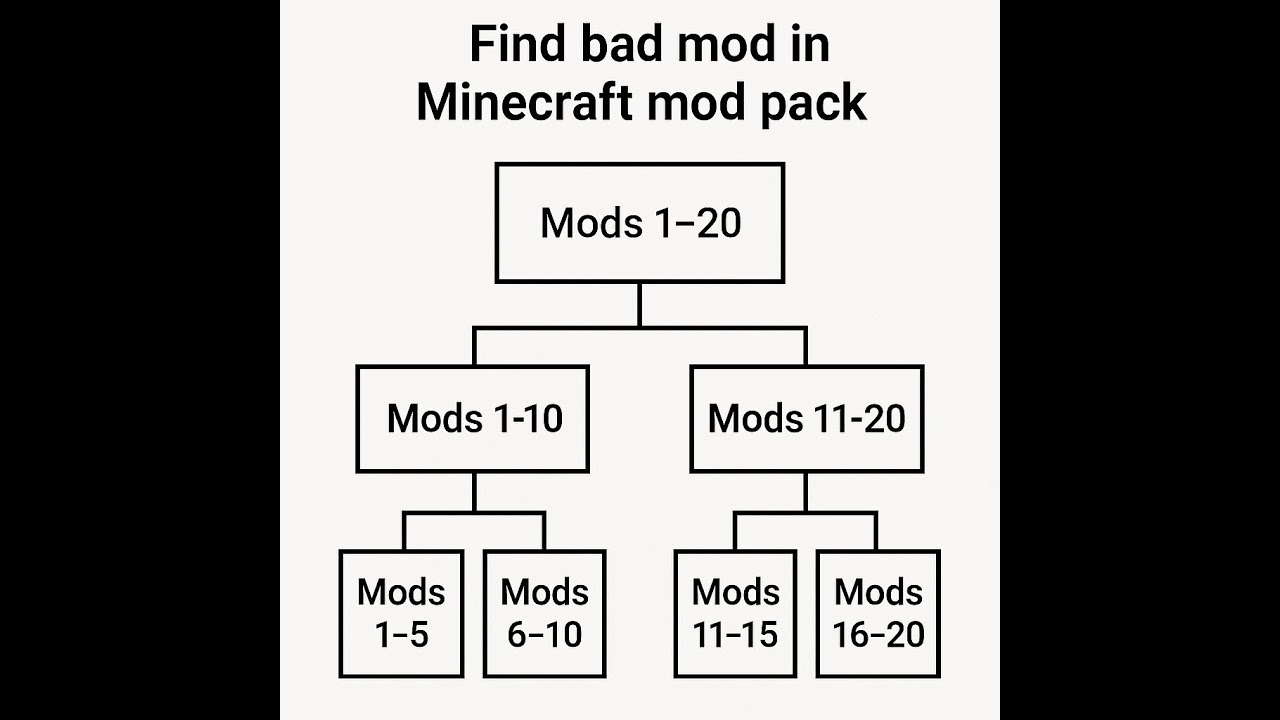
debugging a pack – halves method
Had the opportunity to fix a Forge 1.20.1 pack with multiple mod issues as well as a config issues. My thoughts are that at some point Forge updated, broke classes and the mod authors in question i
Tweet on Apr 01, 2025
I'm on board with this, but to reduce lag, we should use quantum telecom over the NLCR. It's real; I didn't make it up. Though I know this post isn't real, imagine how clean and
Tweet on Apr 01, 2025
Something I've learned from Penn & Teller, the first statement is the lie. t.co/NtzXsW2tIc
Tweet on Apr 01, 2025
I like the one on the right because to me when I see him, I see Puddles from Puddles Pity Party, after he's decided he's had enough! t.co/mfI4joARXt